
MinimaList Outline103 - Google Play
You'll be able to see results in few seconds.
Publisher Description
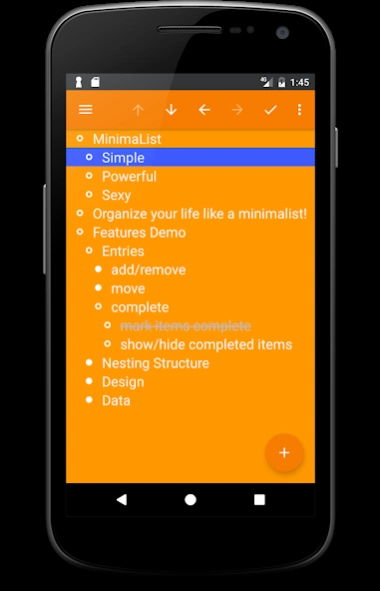
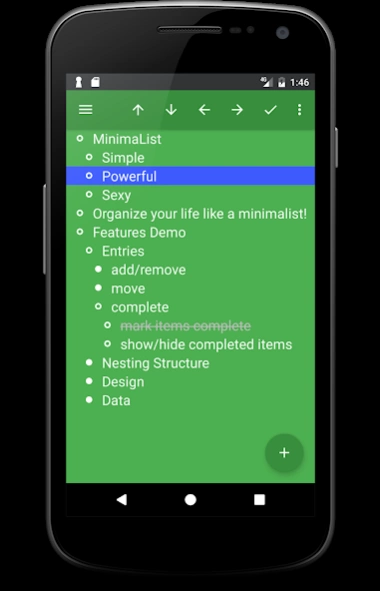
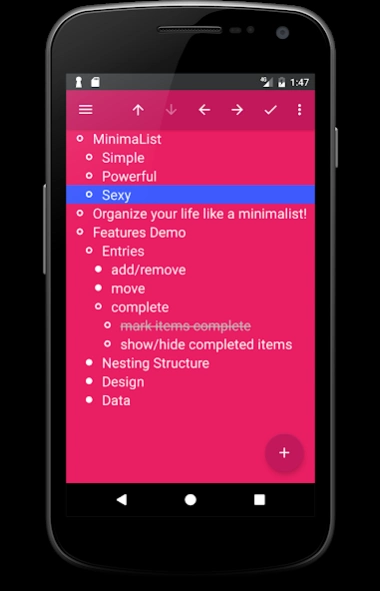
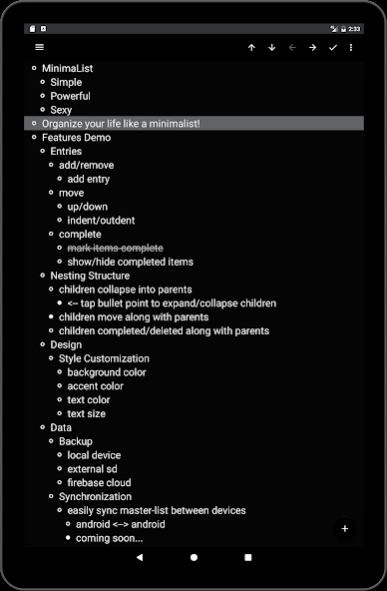
Simple list note app to quickly organize bulleted outlines at your fingertips!
The best list app to quickly organize your notes, todos, checklists, and outlines!Powerful and simple list app for organizing your daily notes, to-do lists, outlines, journals, etc. all together in one nested bulleted list!
Order everything in flexible, bullet point categories, sub-categories, lists, and sub-lists.
Easily create the perfect nested bullet point list outline structure to manage your personal projects, tasks, todos, workflows, outlines, checklists, and daily notes together in a single simply organized master-list!
Perfect for creating simple bulleted lists or as companion app for bullet journals (bujo).
★★★★★ Super app! Great for managing multiple lists.
★★★★★ The app l never knew I needed :)
★★★★★ Pretty close to perfect!
Everything should be made as simple as possible, but not simpler.
- Albert Einstein
Social
♥ https://www.instagram.com/minimalist.outliner/
♥ https://twitter.com/minimalistTB
----- HOW TO USE -----
You can quickly add, move, complete, delete outliner entries at your fingertips.
• tap
bullet points
to show/hide sub-items
• tap
plus icon
to add new items
• tap
check-mark
to complete items
• tap
arrows
to move parent/children items
• long-press
entries
to focus/isolate them
• long-press
titles
to move, rename, delete lists
----- FEATURES -----
• live homescreen widget
• keep multiple lists separate
• set reminder notifications
• expand, collapse children entries
• indent, outdent entries
• move entries up, down in lists
• mark entries complete
• copy, paste entries
• colorful, fully customizable Material Design UI
• active data syncing between devices
• save, load recovery backup to local, external storage
• search all entries for tags/keywords
• export lists to .txt files
• track personal stats
----- LEARN MORE -----
Minimalism outlines the philosophy of living as simply as possible, but no simpler.
Removing clutter from your life helps to give you more freedom by freeing your mind up from focusing on unnecessary things.
---- WHAT IS THE INSPIRATION ----
Just like in our personal lives, the clutter in our apps can affect our mental well-being:
complicated interfaces, clunky designs, hard to use, ugly looking screens - not good!
Thanks to the minimalist movement, these nasties can be removed from our lives through commitment to simplicity, de-cluttering, and reshaping our digital lives.
**Please frequently backup lists to Firebase cloud to mitigate any potential for data loss**
Become a beta tester: https://play.google.com/apps/testing/ca.toadlybroodledev.sublist
About MinimaList Outline
The company that develops MinimaList Outline is Toadly Broodle Dev. The latest version released by its developer is 103.
To install MinimaList Outline on your Android device, just click the green Continue To App button above to start the installation process. The app is listed on our website since 2017-08-29 and was downloaded 0 times. We have already checked if the download link is safe, however for your own protection we recommend that you scan the downloaded app with your antivirus. Your antivirus may detect the MinimaList Outline as malware as malware if the download link to ca.toadlybroodledev.sublist is broken.
How to install MinimaList Outline on your Android device:
- Click on the Continue To App button on our website. This will redirect you to Google Play.
- Once the MinimaList Outline is shown in the Google Play listing of your Android device, you can start its download and installation. Tap on the Install button located below the search bar and to the right of the app icon.
- A pop-up window with the permissions required by MinimaList Outline will be shown. Click on Accept to continue the process.
- MinimaList Outline will be downloaded onto your device, displaying a progress. Once the download completes, the installation will start and you'll get a notification after the installation is finished.
Program Details
System requirements
Download information
Pricing
Version History
version 103
posted on 2017-08-29
v103
-bug fixes, api updates
v102
-limit multiline entries to 3 lines
-fix crash on focus entry
v101
-add move lists up/down in menu
v100
-fix crash onstart/onstop
-show last visible list onstart
-remove duplicate reminders
-allow premium features offline
-various other bug fixes
v97
-restructured list handling structure to mitigate various erroneous behaviors
v95
-fix: crashes on add new list/entry
-fix: crash on start
version 55
posted on 2016-12-22
v55,- add image assets and layouts for all screen sizes,v54,- add auto-open keyboard preference on create entry,- hide floating action button when keyboard open,- immediately close keyboard on nav drawer open,v53,- add inheritance preferences for auto-completing/deleting children,- fix sluggish processing time for completing/collapsing entries,v52,- move add new button to floating action button,- add customizable behavior preference settings
Disclaimer
Official Google Play Link
We do not host MinimaList Outline on our servers. We did not scan it for viruses, adware, spyware or other type of malware. This app is hosted by Google and passed their terms and conditions to be listed there. We recommend caution when installing it.
The Google Play link for MinimaList Outline is provided to you by apps112.com without any warranties, representations or guarantees of any kind, so access it at your own risk.
If you have questions regarding this particular app contact the publisher directly. For questions about the functionalities of apps112.com contact us.
